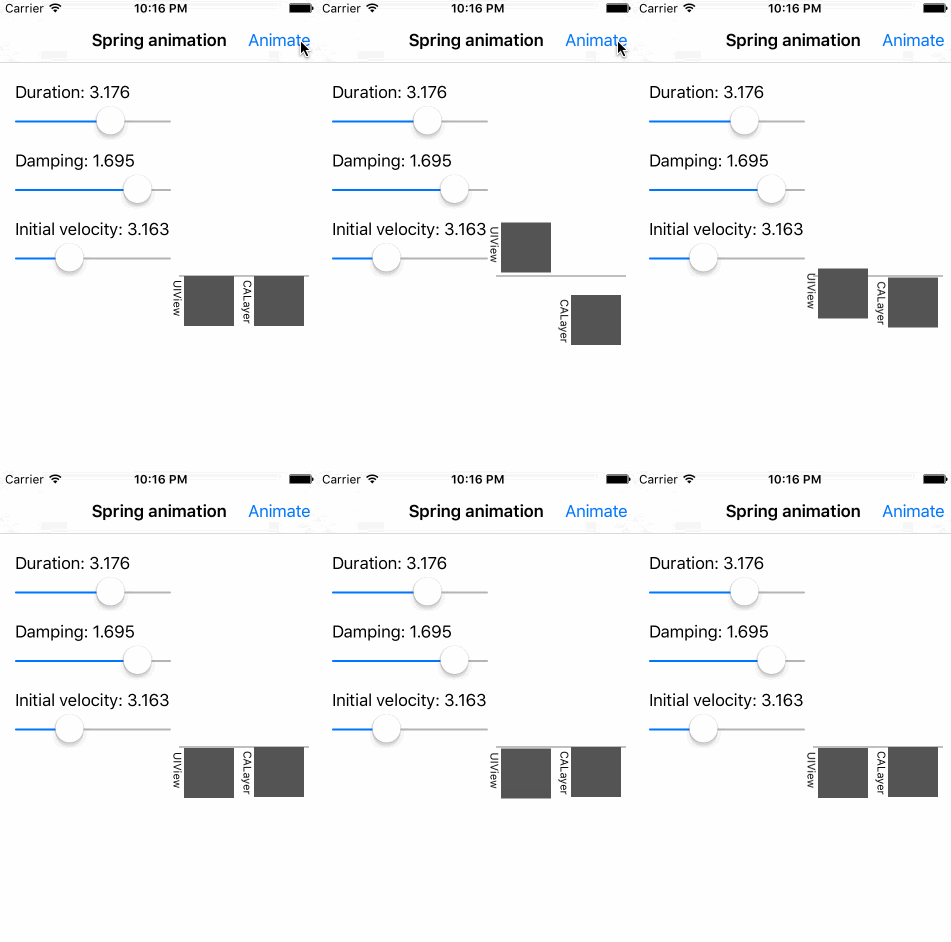
This demo app shows how to do spring animation on CALayer. Animation is similar to UIView's method animateWithDuration(_:delay:usingSpringWithDamping:...).
- Copy SpringAnimation.swift file to your project.
- Animate your CALayer's property by calling
SpringAnimation.animatefunction.
For example, let's rotate a button's layer around its X axis in perspective:
let myCALayer = button.layer
var transform = CATransform3DIdentity
transform.m34 = -1.0/100.0
myCALayer.transform = CATransform3DRotate(transform, 0, 1, 0, 0)

SpringAnimation.animate(myCALayer,
                        keypath: "transform.rotation.x",
                        duration: 3.0,
                        usingSpringWithDamping: 0.7,
                        initialSpringVelocity: 1.7,
                        fromValue: M_PI,
                        toValue: 0,
                        onFinished: nil)
Currently animation looks similar to UIView's method.
But the duration, usingSpringWithDamping and initialSpringVelocity values
are different from those in UIView's method.
Here is the formula that I am currently using for animation.
https://www.desmos.com/calculator/pwcg0pepqy
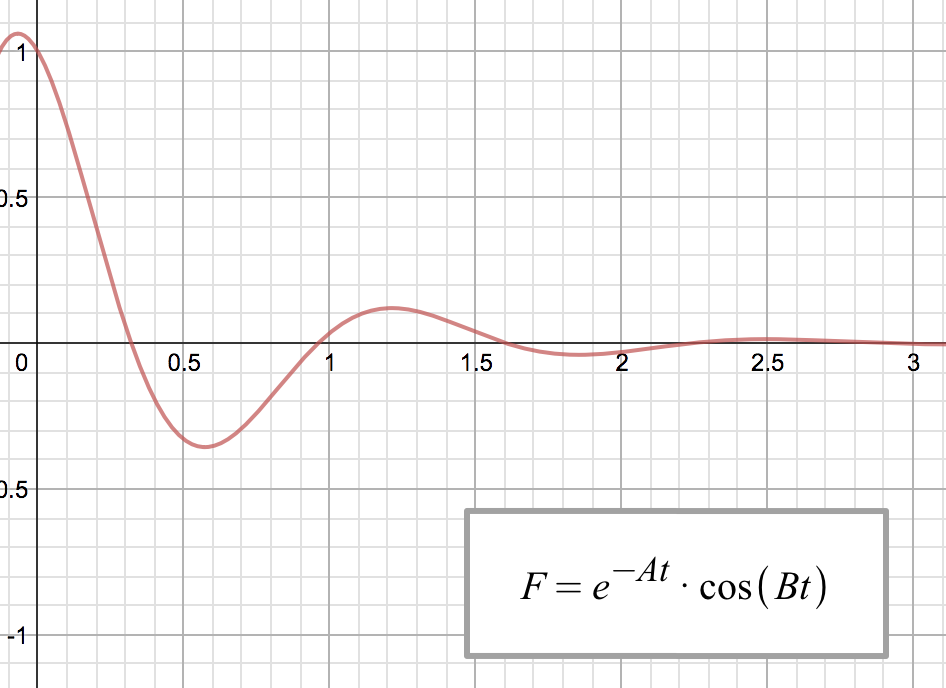
The goal of this project is to make this CALayer's animation work exactly like UIView's for the same arguments.
Help me, Finn and Jake. You're my only hope.